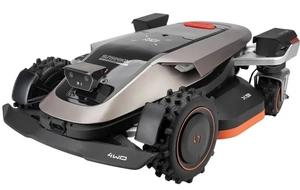
FAQ: How do I clean my Sunseeker robotic lawn mower and maintain its proximity sensors?
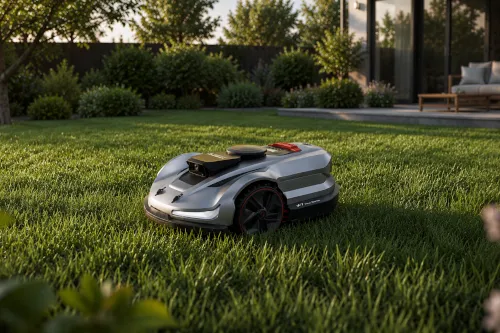
A robotic lawn mower is designed to make life easier—that is, to maintain the lawn regularly, operate autonomously, and not require constant supervision.However, even the most advanced device won't operate without problems if it lacks basic maintenance.Grass clippings on the chassis, dirty charging contacts, a dusty camera, or contaminated proximity sensors can gradually reduce the robot’s performance, cause navigation errors, charging problems, and, in extreme cases, lead to costly malfunctions.
Sunseeker's modern robotic lawn mowers are technologically advanced devices equipped with intelligent obstacle detection systems, rain sensors, Vision AI optical systems, and precision cutting mechanisms.To ensure that all these components function properly for many seasons, it’s important to know not only how to clean your robotic mower, but also how to safely care for its most delicate parts.Improper cleaning—such as using a pressure washer, harsh detergents, or scrubbing the optics too vigorously—can do more harm than good.
In this practical FAQ, we've compiled answers to the most frequently asked questions about the daily care of your Sunseeker robot.You'll learn how to clean the chassis, blades, housing, and charging station; how to care for the proximity sensors and camera; and what mistakes to avoid so that your robot works reliably all season long.
Table of Contents:
- General Questions About Cleaning the Sunseeker Robotic Lawn Mower
- How often should you clean your robotic lawn mower??
- Can I wash my robotic lawn mower with water??
- Can you wash a robotic lawn mower with a pressure washer??
- Which cleaning products to use and which to avoid?
- Can the robot be cleaned while it's connected to the charging station??
- What tools should you have on hand when cleaning your robot??
- Questions about cleaning specific parts of the robot
- How to Properly Clean the Cutting Disc and the Area Around the Blades?
- What should I do with the grass and debris wrapped around the blade shaft??
- How to Clean the Wheels and Chassis of a Sunseeker Robot?
- How to keep the housing clean without risking damage to the gaskets?
- What to do if the robot has traces of grass juice or mud residue on it?
- Questions About Proximity Sensors and Cameras in Sunseeker Robots
- What sensors do Sunseeker robots have, and how do they work??
- How to Properly Clean a Vision AI Camera?
- Can I wipe the sensors with a dry cloth??
- How to Clean the Rain Sensor So It Works Properly?
- What to Do If the Robot Doesn't Detect Obstacles After Rain or Dust?
- How to Tell When the Sensors Need Cleaning?
- Questions about the charging station and charging contacts
- Questions About Cleaning Before, During, and After the Season
General Questions About Cleaning the Sunseeker Robotic Lawn Mower
How often should you clean your robotic lawn mower??
During the growing season, routine cleaning of the housing, undercarriage, and wheels to remove grass clippings should be performed every 1–2 weeks.Once a month, it’s a good idea to thoroughly clean the sensors, the Vision AI camera, and the charging contacts.Twice a season (in the spring before the start of the season and in the fall), it is recommended to perform a thorough cleaning and inspection of all structural components.
Can I wash my robotic lawn mower with water??
Yes, Sunseeker's robotic lawn mowers have an IPX5 waterproof rating (and the latest models even have an IPX6 rating)..This means they are resistant to low-pressure water jets.You can safely rinse the undercarriage and wheels directly with a standard garden hose.
Can you wash a robotic lawn mower with a pressure washer??
Never use a pressure washer to clean the robot.A concentrated stream of water generated under extremely high pressure can easily damage rubber lip seals, destroy the delicate camera optics, and force moisture into the housing (You can read more about the consequences of this mistake in the article on the most common operating errors.).
Which cleaning products to use and which to avoid?
Use only clean water or a mild solution of water and neutral soap for cleaning.Be sure to avoid organic solvents (acetone, gasoline, bleach), harsh detergents, and abrasive cleaners.You may use isopropyl alcohol (IPA) only to clean metal charging contacts—never apply it to the plastic casing or the sensors.
Can the robot be cleaned while it's connected to the charging station??
Never clean the robot while it is in the docking station or while it is turned on.Before performing any maintenance, turn the robot off completely using the main power button or remove the safety key, move it away from the charging station, and place it on a soft surface (such as a lawn) to prevent the blades from starting up accidentally.
What tools should you have on hand when cleaning your robot??
Put together a simple set of safe cleaning tools: a soft brush (such as a shoe brush), a damp microfiber cloth, dry cotton rags, a soft toothbrush for cleaning hard-to-reach nooks and crannies, and cotton swabs.Special plastic scrapers are also useful for removing larger clumps of dried grass from under the undercarriage.
Questions about cleaning specific parts of the robot
How to Properly Clean the Cutting Disc and the Area Around the Blades?
After turning off the robot, put on thick protective gloves and turn the machine so that the wheels are facing upward.Remove the accumulated grass with a brush or plastic scraper, then rinse the blade with water from a hose.Be sure to check, while you're at it, that the blades rotate freely on their mounting screws (you can find detailed technical guidelines for caring for the cutting system in the dedicated article on blade maintenance).
What should I do with the grass and debris wrapped around the blade shaft??
Long blades of grass and strands of grass can wrap around the motor shaft beneath the cutting disc, forming a tight knot that puts a strain on the drive and damages the seal.If you notice such a braid, gently remove it using tweezers or small pliers, being careful not to damage the rubber bearing cover.
How to Clean the Wheels and Chassis of a Sunseeker Robot?
The treads of the drive wheels and the front swivel wheels are best cleaned with a stiff nylon brush, which effectively removes caked-on mud and grass.After removing any mechanical debris, you can rinse the entire chassis with a stream of water from a garden hose, while checking that the wheel axles are clear..
How to keep the housing clean without risking damage to the gaskets?
Wipe down the robot's outer casing with a soft, damp microfiber cloth.Avoid scrubbing the joints between plastic panels—that’s where the rubber seals are located, which protect the electronics from capillary moisture.
What to do if the robot has traces of grass juice or mud residue on it?
Dried grass juices can penetrate deeply into the structure of plastic.To remove them, apply a damp cloth soaked in water with a small amount of pH-neutral shampoo to the stain, wait 2–3 minutes, and then gently wipe away the residue using circular motions.Never use steel wool or abrasive kitchen sponges, as they will permanently scratch the plastic.
Questions About Proximity Sensors and Cameras in Sunseeker Robots
What sensors do Sunseeker robots have, and how do they work??
These robots are packed with cutting-edge technology: they feature a Vision AI camera (monocular in the X3 models or an advanced stereoscopic 3D camera in the X5 and X7 series) for obstacle avoidance, a rain sensor on top of the housing, collision sensors, a lift sensor (which disengages the blades), and a tilt sensor.Premium models also feature an iToF camera with LED lighting for use after dark.
How to Properly Clean a Vision AI Camera?
The camera is the most sensitive optical component in the entire system.Clean it only with a clean, very soft microfiber cloth (such as one used for eyeglasses).If there is mud on the lens, first gently dampen a cloth with water and remove the dirt without applying pressure—wiping away dried dust with a dry cloth will scratch the glass lens and interfere with the AI algorithms.
Can I wipe the sensors with a dry cloth??
It is not recommended to wipe the sensors and camera lenses with a dry cloth when there is dust or sand on them.Quartz particles will act like sandpaper, causing the surface of the sensors to become dull, which will lead to errors in estimating the distance to obstacles.
How to Clean the Rain Sensor So It Works Properly?
The rain sensor consists of metal contacts located on the robot's top cover.When dust, pollen, or tree sap accumulates on them, the robot may mistakenly interpret dry weather as precipitation.Wipe these contacts regularly with a damp cloth, and if there is heavy buildup, gently remove the patina with a soft toothbrush.
What to Do If the Robot Doesn't Detect Obstacles After Rain or Dust?
If, after a downpour or after working in a dry, dusty environment, the robot begins to ignore obstacles or brakes suddenly when approaching them, stop the machine.There are probably dried drops of dirty water or a layer of dust on the camera lens—wipe the lens with a damp microfiber cloth.
How to Tell When the Sensors Need Cleaning?
The main symptoms include: detecting "phantom" obstacles on an empty lawn, constantly reporting rain on a sunny day, navigation errors, unexpected machine stoppages, or positioning error messages sent to the mobile app.
Questions about the charging station and charging contacts
How to Clean a Sunseeker Docking Station?
Use a brush to regularly sweep sand, leaves, and mud off the station's ramp—the robot brings these in on its wheels.Also, make sure the area around the base is free of tall weeds.It’s a good idea to shield the station from direct sunlight and rain—you can find detailed information about roofing systems in our feature article on protective canopies.
How to Clean the Charging Contacts on the Charging Station and the Robot?
Clean metal charging plates only dry.Use a dry cloth or a cotton swab.If you notice a dark film (oxidation), you can gently wipe the pins with a swab soaked in isopropyl alcohol, being careful not to splash any of the adjacent plastic components.
What to Do If Your Robot Has Trouble Charging After a Long Season?
Symptoms such as longer charging times, interrupted charging cycles, or docking errors are most often caused by dirty contacts.Clean the pins on the robot and at the base.If the problem persists, check to see if the station has become misaligned (you can read more about the physics of charging currents and power system protection in the article on battery and electronics protection).
Can the charging station be cleaned while the robot is operating??
Yes, while the robot is mowing the lawn, you can safely sweep debris off the charging pad..However, remember not to use metal tools (such as wire brushes) when cleaning the metal charging pins, as they could cause a short circuit in the base's electrical system.
Questions About Cleaning Before, During, and After the Season
How to Prepare Your Lawn Mower for Its First Run of the Spring?
Before your first outing, take the robot out of its winter storage, wipe the dust off the casing, check the battery charge, and check the sharpness of the blades.Before entering the station, make sure the charging pins are clean and free of corrosion buildup from the winter.
How to Clean Your Robot During the Season – Routine Maintenance
During heavy use, follow the "a little, but often" rule. Once a week, quickly sweep loose grass from the bottom of the machine, and once every two weeks, wipe down the front where the Vision AI camera is located with a damp cloth so that the robot maintains its full range of"viewings".
How to Properly Clean Your Robot Before Winter Storage?
Before storing your machine for the winter, give it the most thorough cleaning of the year.Remove absolutely all grass clippings from the undercarriage, wash the wheels, and thoroughly clean the sensors and contacts.Leaving damp, rotten grass on the machine over the winter will accelerate corrosion of the bolts, damage the blades, and expose the seals to permanent damage.
Is it worth scheduling a maintenance cleaning, and what does it include??
Definitely yes.An authorized annual winter service is more than just a thorough, professional cleaning.Ewimax service technicians open the case under safe conditions, check the condition of the internal seals, test the battery's performance using professional testers, and update the software.In addition, this type of service is a prerequisite for maintaining the extended 36-month Cedrus warranty.
Keeping your robotic lawn mower clean on a regular basis is the easiest way to maintain its factory-level precision and avoid unnecessary breakdowns in the middle of the season.If you need genuine replacement parts or want to have your machine serviced by specialists, visit Ewimax.As an authorized dealer, we offer not only state-of-the-art lawn mowers and Sunseeker robots, but also professional winter service, genuine blades, and full technical support.Take care of your equipment with Ewimax and enjoy a perfect garden with no effort!
Recommended

SUNSEEKER CEDRUS ORION X7 BY SUNSEEKER RTK C-MOW X7 AUTOMATIC MOWING ROBOT FOR 3000m2 - OFFICIAL DISTRIBUTOR - AUTHORIZED DEALER CEDRUS
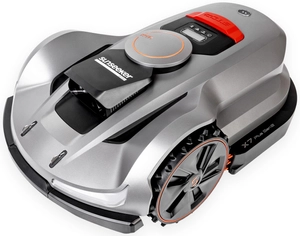
SUNSEEKER X7 PLUS Gen 2 RTK ELITE AUTOMATIC MOWING ROBOT CEDRUS X7 PLUS Gen 2 RTK FOR CEDRUS C-MOW X7 PLUS Gen 2 6000m2 WIRELESS / WIRELESS - OFFICIAL DISTRIBUTOR - AUTHORIZED SUNSEEKER DEALER
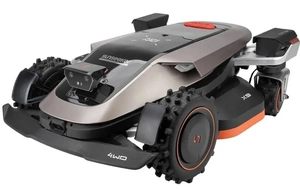
SUNSEEKER X9 Gen 2 RTK ELITE ROBOTIC LAWN MOWER CEDRUS X9 Gen 2 RTK AUTOMATIC LAWN MOWER CEDRUS C-MOW X9 Gen 2 12,000 m² WIRELESS / CORDLESS - OFFICIAL DISTRIBUTOR - AUTHORIZED SUNSEEKER DEALER