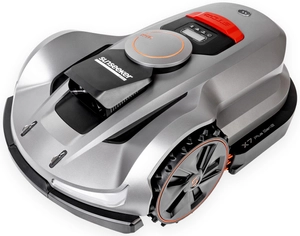
How to Install a Sunseeker Robotic Lawn Mower Yourself? Step-by-Step Guide
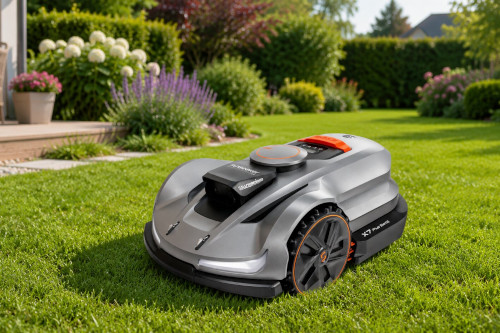
A perfectly manicured lawn—without the noise, exhaust fumes, or weekends spent pushing a lawn mower?Today, it's not a luxury, but a convenient solution available to every garden owner.Sunseeker's modern robotic mowers are designed so that setting them up is quick, intuitive, and something you can do on your own—even if you have no experience with this type of equipment.
If you're wondering how to install a Sunseeker robotic lawn mower, this guide will walk you through the entire process step by step: from choosing a location for the docking station, to preparing your yard, to setting up the app and mapping your lawn.Thanks to wireless solutions such as RTK navigation, setting up the Sunseeker robotic mower does not require time-consuming installation of a boundary wire.
We also explain how to set up the robotic lawn mower for the first time, what to look for during the test run, and what mistakes users most commonly make during setup.This way, you can quickly get the mower ready for use and let it take care of your lawn exactly as it should.
Table of Contents:
- How to Prepare Your Garden for the Installation of a Sunseeker Robotic Lawn Mower?
- Installing the Sunseeker Docking Station – Step by Step
- How to Set Up Your Sunseeker Robotic Lawn Mower Using the Mobile App?
- First-Time Setup of the Sunseeker Robotic Lawn Mower – What to Look For?
- The Most Common Mistakes When Installing a Sunseeker Robotic Lawn Mower
How to Prepare Your Garden for the Installation of a Sunseeker Robotic Lawn Mower?
Before you take the robot out of the box, take a moment to plan.Although Sunseeker is a smart device, its effectiveness depends on how you set up its “battlefield”.
Site Assessment – What to Check Before Installation?
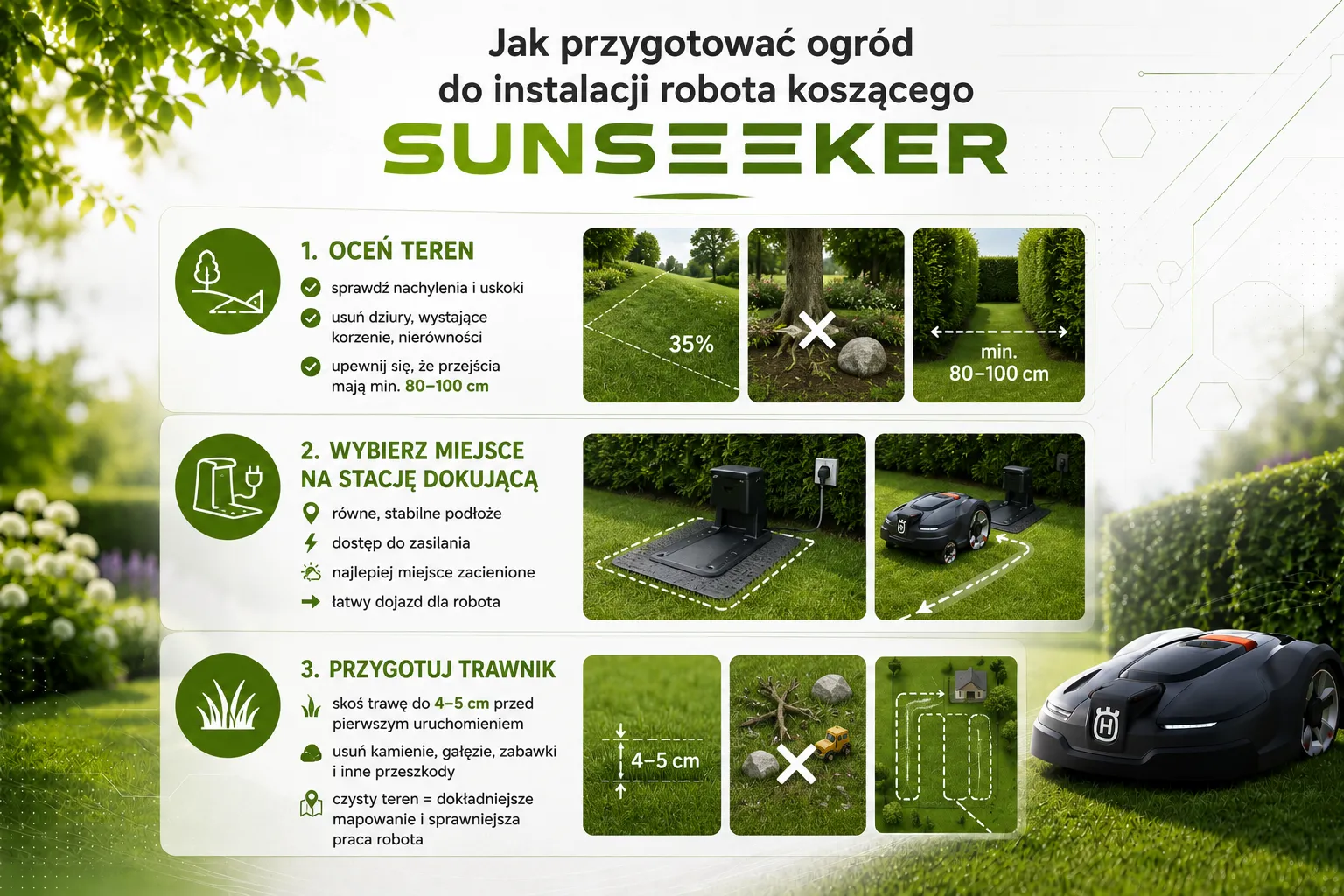
The first step is to analyze the topography.Sunseeker robots handle slopes very well, but it’s a good idea to check your yard for deep holes, protruding roots, or very narrow passages (less than 80–100 cm). Installing a Sunseeker robotic mower on terrain with significant unevenness may require leveling the ground to prevent the machine from getting stuck on its chassis.
Choosing a Location for a Docking Station – Important Guidelines
It's the heart of the entire system.When figuring out how to set up the docking station for your robotic lawn mower, keep these three rules in mind:
- Level surface.The station must be placed on level ground so that the robot can drive up to it without any problems and connect to the charging pins.
- Access to electricity.Choose a spot near an outdoor electrical outlet.
- Shadow.If possible, set up the base in a location sheltered from direct, intense sunlight, as this will extend the battery's life.
How to Prepare Your Lawn and Remove Obstacles Before Your First Run?
Before the first pass, it’s a good idea to mow the grass with a traditional mower to a height of about 4–5 cm.Remove stones, thick branches, toys, and other objects from the lawn that could damage the blades. Although the Sunseeker lawn mower is equipped with collision sensors, a “clean” area will make it easier for it to create a precise map.
Installing the Sunseeker Docking Station – Step by Step
Once the plan is ready, we move on to the practical part of the task.Remember that proper installation of robotic lawn mowers starts with a stable base.
Where and how to set up the docking station?
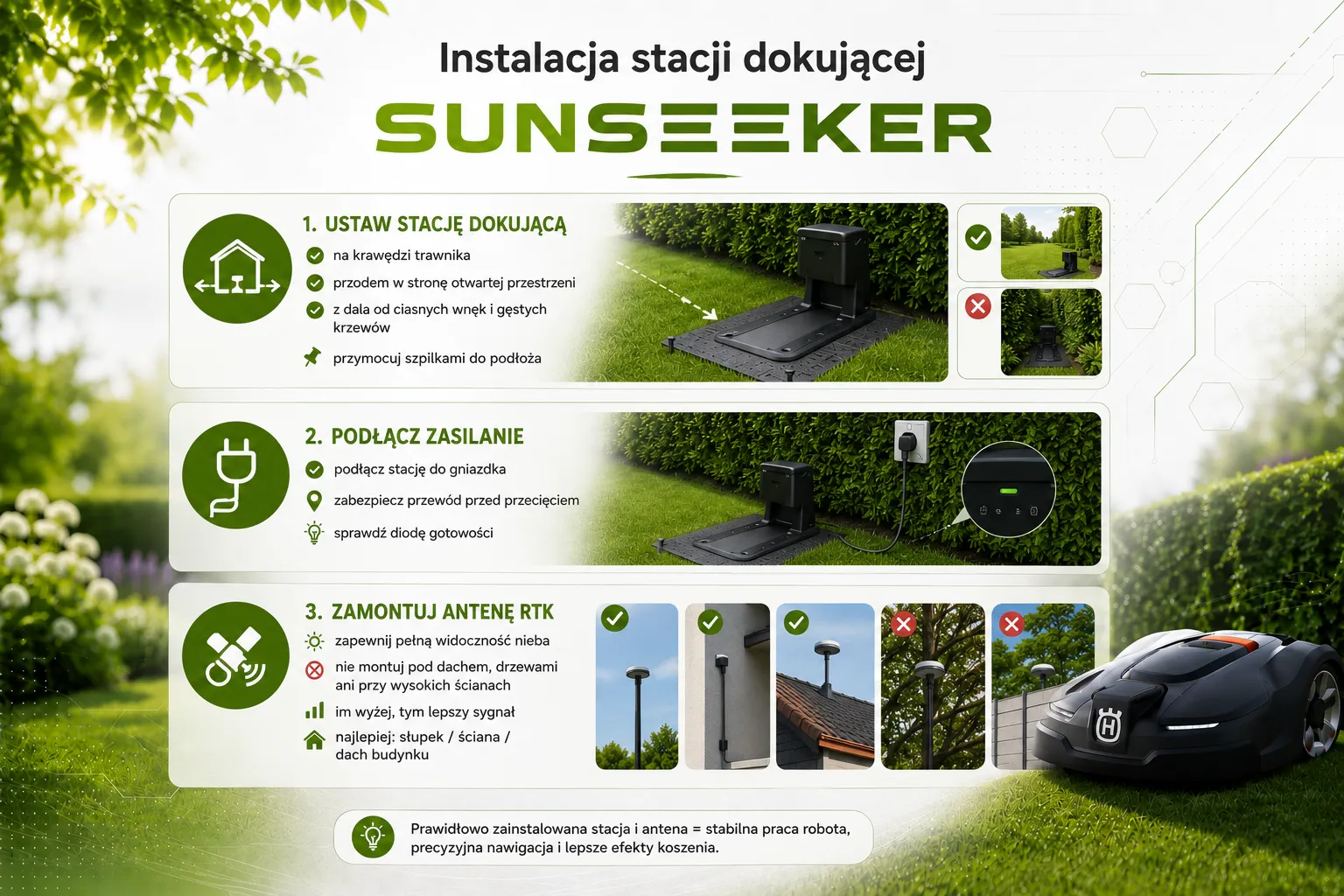
Place the station at the edge of the lawn.The front of the station should face an open area so that the robot can drive out freely.Secure it to the surface using the mounting screws (pins) included in the kit. Make sure the station isn't "hidden" in a deep nook among dense bushes, which could make it difficult to find.
Connecting Power to the Docking Station
Plug the power adapter into an outlet.Be sure to route the power cord so that the robot doesn't cut it while operating—it's best to secure it to the ground or hide it in a shallow channel. An LED indicating that the station is ready for operation should light up.
Installing an RTK Antenna – Where to Place It for the Best Signal?
This is the most important stage.The RTK (Real-Time Kinematic) antenna enables the robot to operate with centimeter-level precision without the use of cables.
- Visibility of the sky.The antenna must have a "clear line of sight" to the satellites.Do not install it under a roof, near dense trees, or directly against the wall of a tall building.
- Height.It is best to mount it on the special post (included in the set) or on the roof or wall of your house using the optional bracket.The higher up and farther away from obstacles, the more stable the signal will be.
How to Set Up Your Sunseeker Robotic Lawn Mower Using the Mobile App?
Once the equipment is ready, it’s time for the “brain” of the operation.The setup of the cordless robotic lawn mower takes place almost entirely on your smartphone.
Downloading the app and pairing the robot with your smartphone
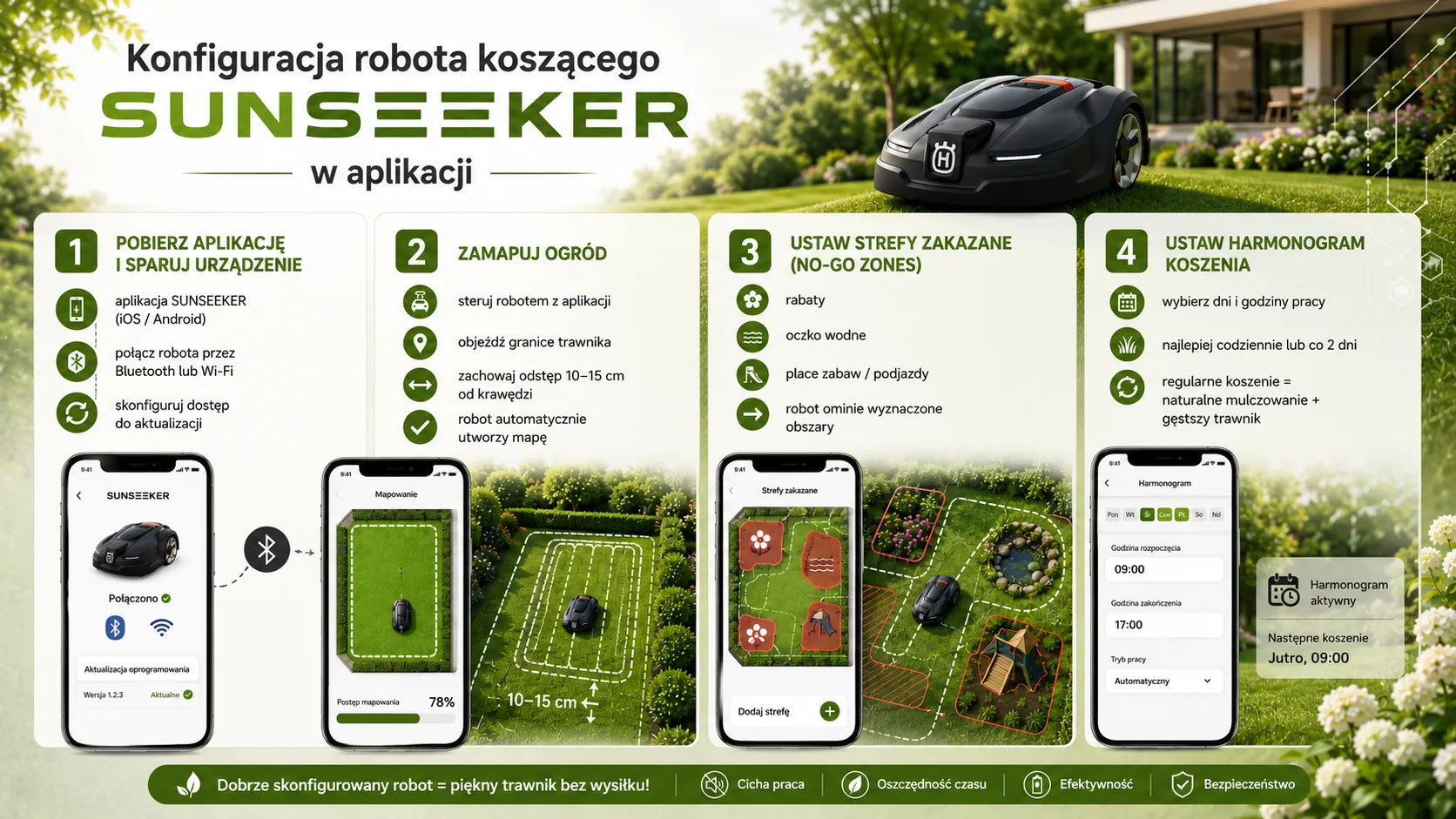
Download the official Sunseeker app (available on iOS and Android).Sign up for an account and follow the instructions to connect to the robot via Bluetooth or Wi-Fi.The first time you set up the robotic lawn mower, you'll need to pair it with your home Wi-Fi network so it can download software updates.
How to Map Your Yard and Set Virtual Mowing Boundaries?
This is the moment when you'll appreciate the lack of wires.In the app, select the mapping feature.You'll control the robot just like you would a remote-controlled car.
- Take the robot out of the station.
- Drive it slowly along the edge of the lawn, keeping a safe distance from the curbs (usually about.(10–15 cm).
- Once the loop is closed, the robot will automatically create a map of your garden.
How to Set Up Exclusion Zones—Garden Beds, Driveways, and Playgrounds?
If you have a pond or a flower bed in the middle of your lawn, you'll need to mark out what are known as "No-Go Zones".In mapping mode, simply drive around the obstacle.The robot will remember this spot and will never cross it. This is an important part of setting up your Sunseeker robotic lawn mower so you don't have to worry about your plants.
How to Set Up a Mowing Schedule for the Entire Season?
In the app, you can set the days and times when the robot should work.It is recommended to mow daily or every other day—the robot then cuts off only a few millimeters of growth, which falls to the ground and serves as natural fertilizer (mulching). This will make your lawn thicker than ever.
First-Time Setup of the Sunseeker Robotic Lawn Mower – What to Look For?
The map is ready, the schedule is set.Time for the final rehearsal.
How to Conduct Your First Test Drive?
Start the robot and watch it for the first dozen or so minutes.Check to see if it leaves the station smoothly and heads toward the designated zones. Make sure the cutting height is appropriate—at the start of the season, it’s a good idea to set it a little higher (e.g., 50 mm) and gradually lower it over the next few days.
How to determine whether the robot is properly staying within the boundaries and avoiding obstacles?
Check the critical areas: the corners of the garden, the paths between the trees, and the excluded zones.If the robot gets too close to the edge and, for example, one of its wheels falls off the curb, you'll know that the map needs to be corrected. Thanks to GPS and RTK technology, the first time you start up the robotic lawn mower, it can immediately detect errors in the virtual boundaries.
How to Adjust the Settings After the First Mowing?
After the first full cycle, check the mowing report in the app.See if the robot has reached every nook and cranny.If you notice that certain areas have been missed, you can add a new mowing zone in the app or adjust the path density (parallel mowing)..
The Most Common Mistakes When Installing a Sunseeker Robotic Lawn Mower
Installing the Sunseeker robotic lawn mower yourself is simple, but it's easy to make a few mistakes that can be frustrating.
Poor docking station location
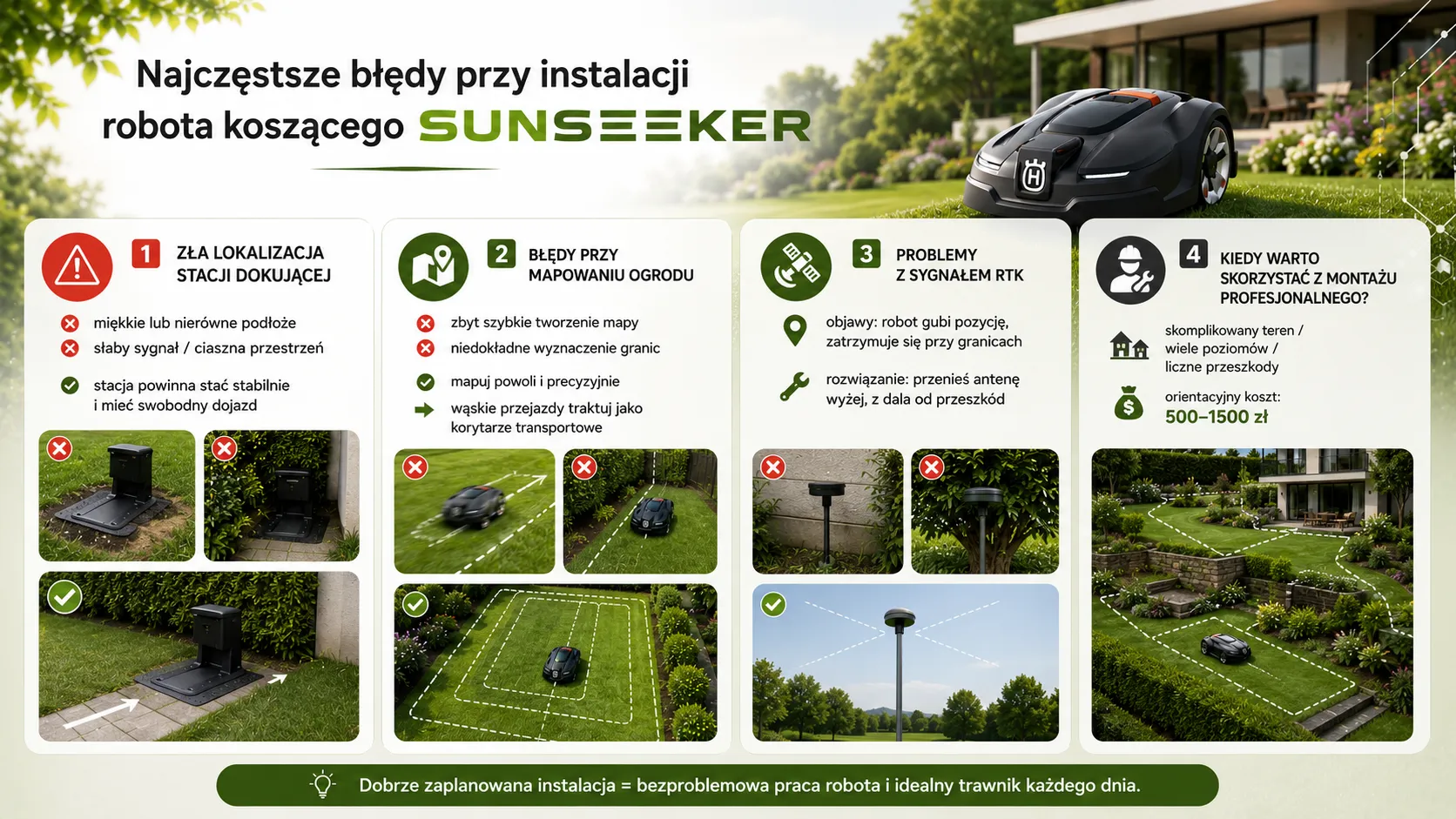
The most common mistake is placing the station in a “dead spot” for the signal or on ground that is too soft, where the robot will eventually dig holes, preventing it from docking properly.Remember that the surface must be firm and level.
Mistakes in mapping a garden and marking its boundaries
Moving the robot too quickly while mapping may result in inaccuracies.Do it slowly, with surgical precision. If you have a very narrow passage between your house and the fence (less than 1 meter), it’s a good idea to designate it as a transport corridor rather than an area for frequent mowing.
RTK Signal Problems – Causes and Solutions
If the robot stops and displays a "weak signal" message, the problem is almost always the antenna.
- Symptoms.The robot "gets lost" at the edges of the yard or near high walls.
- Solution.Move the antenna higher.If your garden is very large and has many buildings, consider mounting the antenna on a chimney or a special wall bracket.
When a DIY installation isn't enough and it's worth asking a professional for help?
Although 90% of users are able to manage on their own, there are extreme situations: multi-level terraces that are inaccessible by vehicle, gardens with hundreds of square meters of dense undergrowth, or specific sources of electromagnetic interference.In that case, it’s a good idea to ask about professional installation of a robotic lawn mower.
How much does it cost to have a robotic lawn mower installed by professionals??It usually ranges from 500 to 1,500 PLN, depending on the complexity of the garden, but in the case of Sunseeker (no cable), this service is significantly cheaper than with older technologies.
Installing the Sunseeker robotic lawn mower yourself is a task that brings great satisfaction.Since you don't have to mess around with running cables, the entire process (from unboxing to cutting the first blade of grass) can take less than two hours.The key is to be patient when mapping and to position the RTK antenna correctly.
All ,, and Sunseeker robotic lawn mowers available at Ewimax are designed for users who value their time.If you need additional assistance, check out our 2026 Sunseeker robot rankings or contact our advisors.It's time to retire your traditional lawn mower and let technology take care of your garden!
Are you having trouble setting up the app or with signal stability??Contact the Ewimax technical support team—we’ll help you remotely or advise you on how to optimize your lawn map so that the robot works perfectly!
Recommended
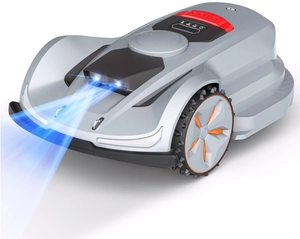
SUNSEEKER CEDRUS ORION X7 BY SUNSEEKER RTK C-MOW X7 AUTOMATIC MOWING ROBOT FOR 3000m2 - OFFICIAL DISTRIBUTOR - AUTHORIZED DEALER CEDRUS
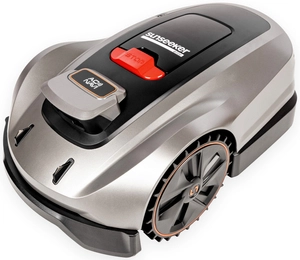
SUNSEEKER X3 CEDRUS X3 ELITE BY SUNSEEKER RTK AUTOMATIC MOWING ROBOT FOR CEDRUS C-MOW X3 800m2 WITHOUT CABLE / WITHOUT WIRELESS - OFFICIAL DISTRIBUTOR - AUTHORIZED DEALER CEDRUS

SUNSEEKER X5 Gen 2 RTK ELITE AUTOMATIC MOWING ROBOT CEDRUS X5 Gen 2 RTK 2000m2 CEDRUS C-MOW X5 Gen 2 2000m2 WIRELESS / WIRELESS - OFFICIAL DISTRIBUTOR - AUTHORIZED DEALER SUNSEEKER